Who is on the roll, who has paid, and what went out.
It is the week the renewals are due, the site still shows last year's dates, and the roll lives in a spreadsheet on one laptop. Clubroll keeps the roll and the dues book, sends the notice, and puts the same words on the association's own site. Members join, pay up and read it without you retyping a line.
The membership year, job by job
- Publish the site's own pages (about, joining, officers, events), and change them the day they change.
- Import the member list you keep now (any CSV): the roll lands with join dates, statuses and tags.
- Record a payment with its method and reference on the member's own line, and see at a glance who is paid and who is overdue.
- Send the day's reminders in one press: before the due date, on it, after it, once for each member who has not paid.
- Write the notice once, choose who it reaches, and send it; the log underneath lists every recipient and every member left out, with the reason.
- Invite the members in: the link sets their password, and each one keeps their own details current.
What the office sees
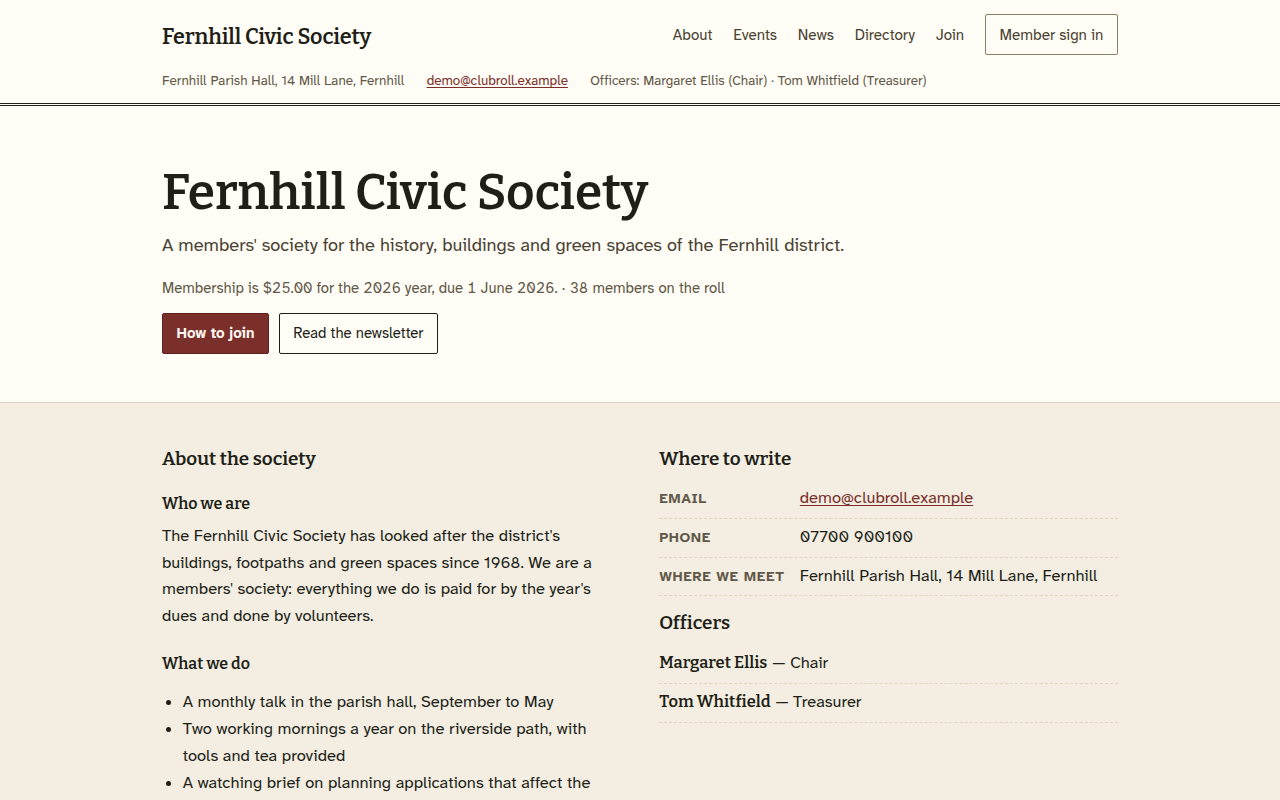
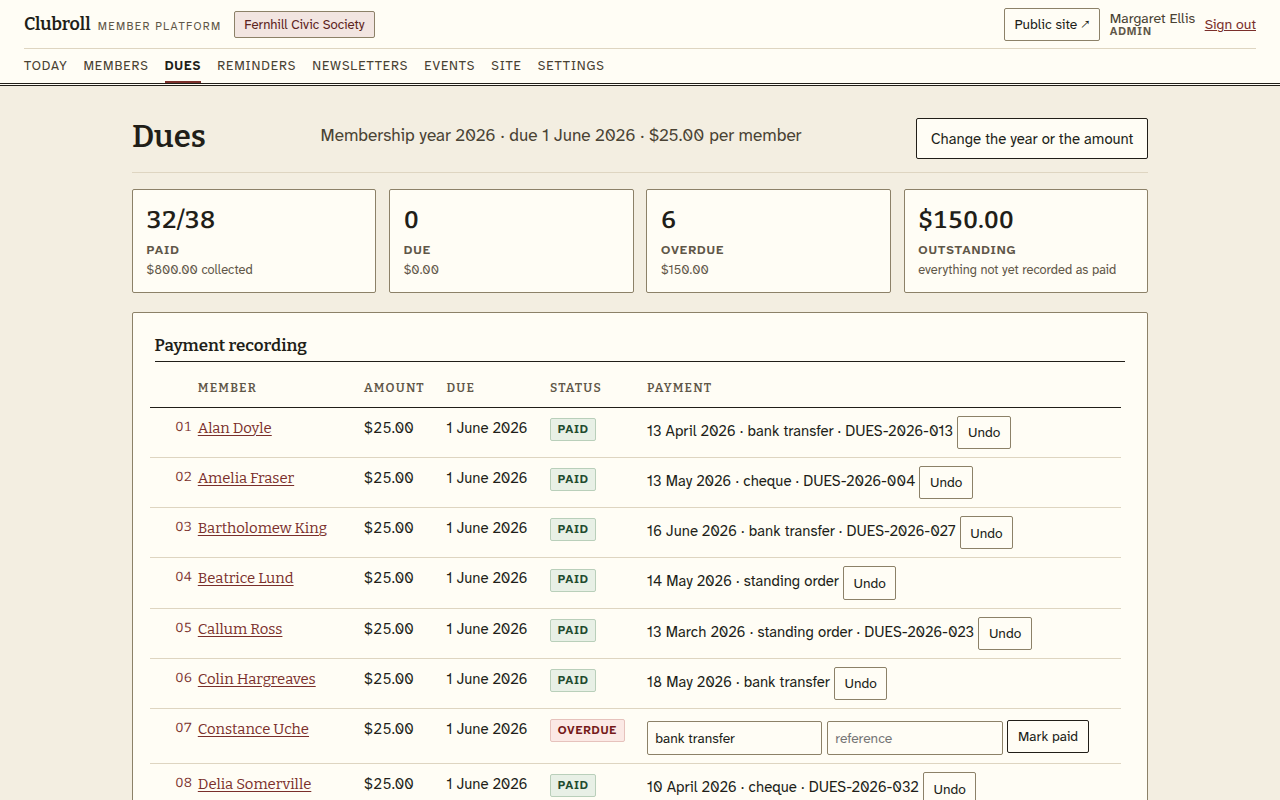
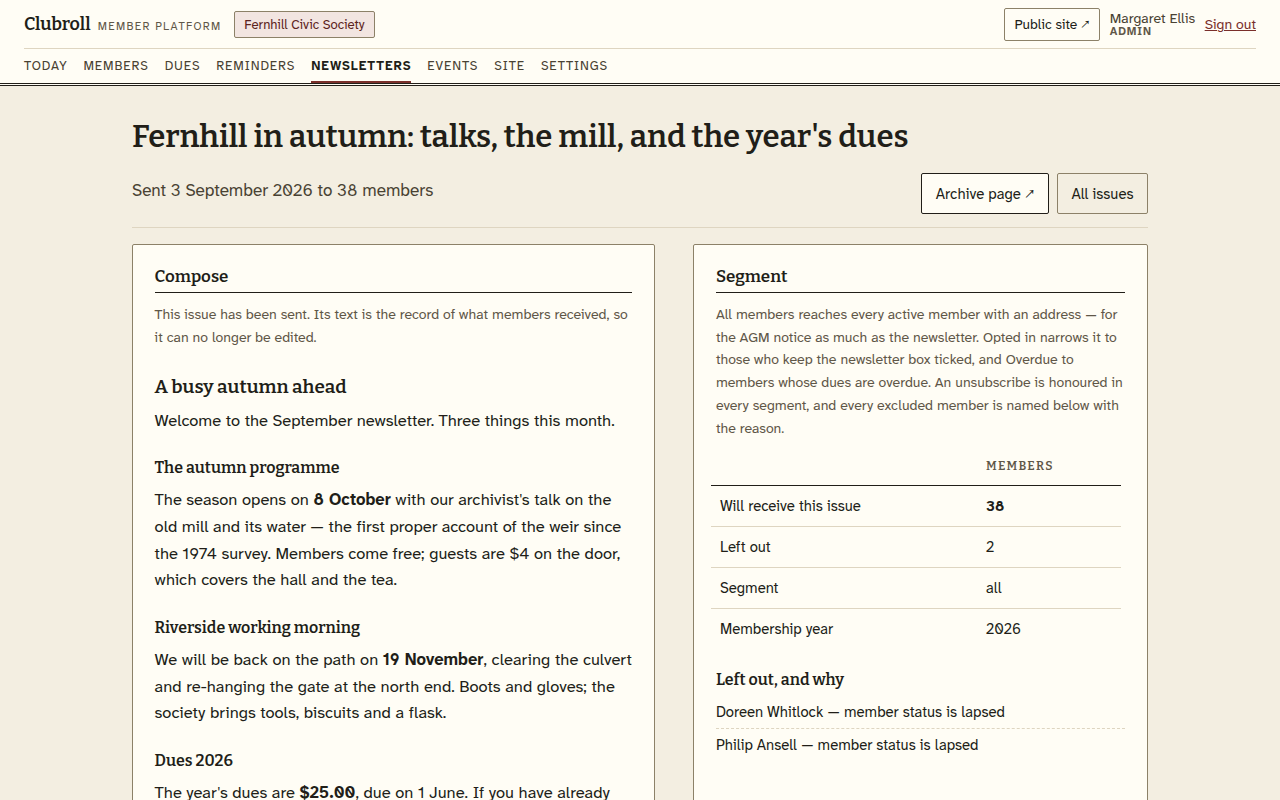
The screens are the demo society's own records. Poke at the demo yourself.
One price for the association
$39/month
Every officer, every member, unlimited newsletter sends.
Billed monthly in advance by Stripe. Cancel from the billing link in any receipt; we switch the workspace off at the end of the month you have paid for, and the roll stays exportable for 30 days.
Where it stops
- It does not take the money: the office records each payment as it arrives, and members do not pay through the site.
- It is not your accounting: no ledger, no bank feed, no tax report. The dues book is the membership year, and that is all it is.
- One association per workspace: one office, one roll, one site.
- The layout is the platform's; the words, the logo, the dues amount and the membership year are the association's.
Questions the office asks
We already have a site, and the roll is a spreadsheet. What does the move look like?
Either order works. Create the workspace first, then subscribe from this page or from Settings; or subscribe first, and the workspace is made from the payment, with an email carrying a link to choose your password. Either way it is switched on the moment the payment goes through. Then import the member list you keep now from any CSV — the roll lands with join dates, statuses and tags — write the site's pages, and send the first newsletter from here. Every step is yours to take, in your own time.
Do the members need a login?
Only the ones who want one. The office keeps the roll and the dues; a member who signs in sees their own details and the issues, and keeps their own address and phone current.
Will the roll be on the public site?
No. The directory lists only the members who ask to be listed, and nothing else on the site shows the roll.
There are four of us on the committee and a few hundred members. Does that fit?
Tens to a few hundred members is the size this is built for, and every officer gets a sign-in. The roll, the dues book and the composer are the same page for all of them.
Some of our members have no email address. Does that matter?
No. They stay on the roll without one; the newsletter goes to the addresses that exist, and every issue is also kept on the site's news page for anyone to read.
Questions before subscribing: support@clubroll.app.